… our expert on the show was Andy Puddicombe, the guy who helped start [the meditation app] Headspace. And Andy’s story is a super interesting story, because he had serious psychological issues and went to India to try and figure it out. And that’s how he discovered meditation.
And his approach to meditation is that meditation is a practice session to try to let things go. It’s work, it’s not relaxation. By the end of this episode he literally had not said any advice that I had not heard at least two dozen times before, but all of a sudden it really sunk in, hearing this story. I was like, “oh, no, I’ve been doing meditation all wrong.” I’d been trying to relax, and empty my brain, and focus on my breath, but that’s not really what it’s about. It’s work. It’s practice. You have to be able to say “here’s a thought that’s bothering me, I’m going to like wrestle it into a corner where I can turn my back on it.”
And it transformed how I fall asleep. And again, he didn’t tell me anything new; he just told me it in the context of a story about himself and suddenly I was able to hear it really for the first time.
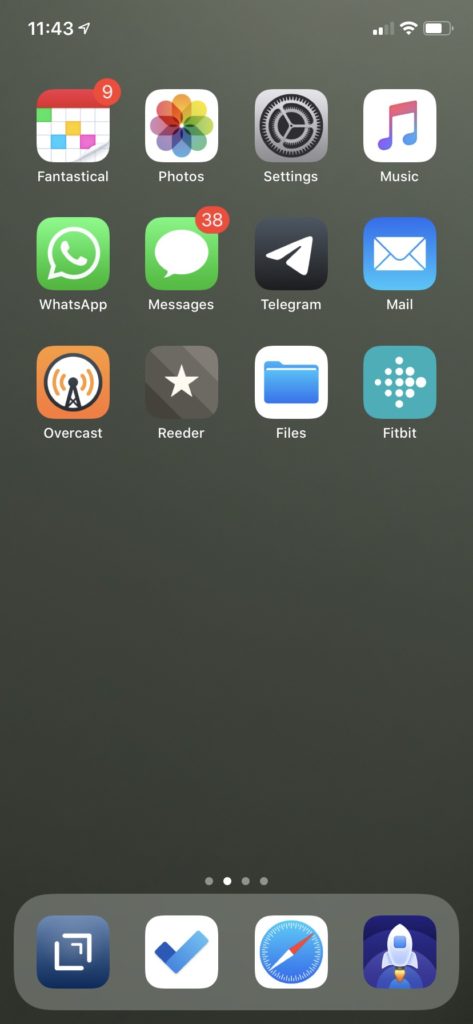
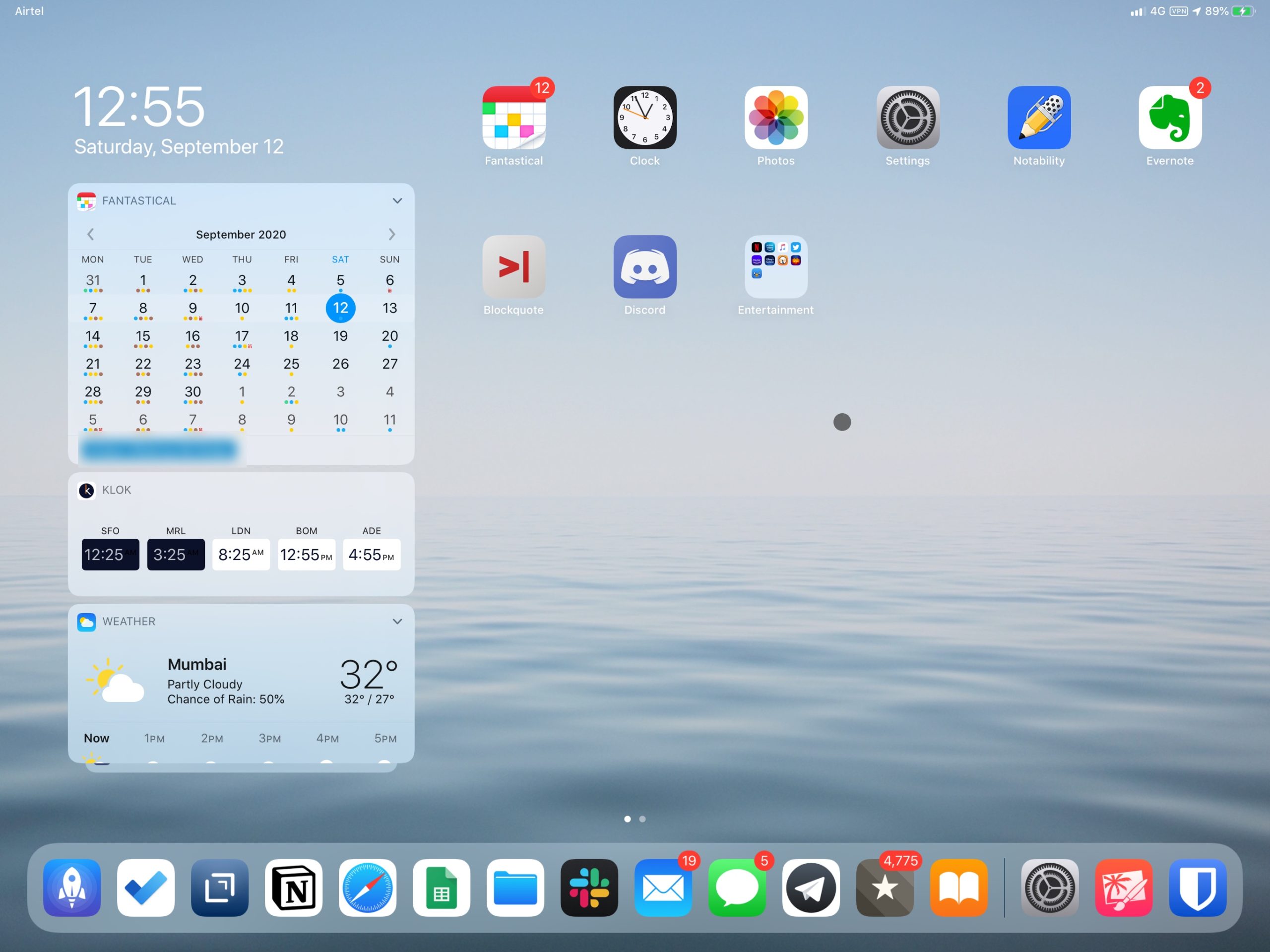
We’re adding the iPad to the monthly home screen post. Here goes:
iPhone
My iPhone home screen didn’t change at all between August and September; my choices worked out well.
My prediction about Drafts was incorrect; it’s become one of my most-used apps on iPad and iPhone. The app is light, the sync is near-instant, Markdown highlighting is adequate, formatted preview is pretty good. I use it, as intended, to quickly capture and start all manner of text notes, and send it to different places: paste in WordPress or in Google Docs, send a tweet or a Slack message, save to a plaintext file in my notes.
Microsoft Todo and the Fitbit app, as we wrote in August, are daily companions. The Todo app is a collection of ideas and articles for this and other sites. The Fitbit app helps me maintain a baseline level of fitness.
iPad
The iPad is my main computer. The flexibility of touch and iOS combined with the canvas of a 13-inch laptop screen means it’s more powerful than either an iPhone or a Macbook.
For work, my most-used apps are Slack, Drafts, Safari – for the web versions of Google Docs and Sheets, and for Whatsapp. I take and make phone calls from the iPad via the iPhone – Continuity is quite terrific. Of course there’s also Meet, Telegram and Facetime calls – again all via the iPad. The only limitation is Whatsapp, which is still, in September 2020, tied to a single device:
Whatsapp really needs to step up its multi-device game. Running it on a laptop in a browser is now universal. I run it in an iPad Safari tab.
But I can’t make Whatsapp calls on my iPad. I can make phone, FTime, Telegram, Zoom, Meet calls. But not the most common one – Whatsapp. pic.twitter.com/kQhxH7kyfr
For entertainment, I use common video-streaming apps: Netflix, Prime Video, Hotstar. VLC for video files that I drag into the iPad Files app from an external hard drive. And Books for my daily 20-minute reading session.
Outside of them, it’s not very different from the iPhone. Pixelmator and Notability are a joy to use with the large screen and the Apple Pencil. I’m giving the Notion app a try, but I might as well just use the (desktop) website in Safari.
Along with no Whatsapp iPad support, the other limitation is the bare-bonesGoogle Docs and Sheets apps: they lack many important features that their web app has. They also, notably, lack external keyboard and pointer support. Since iOS 13, the Safari browser displays the vastly more capable web versions well, but it’s not the same as on mac OS. I make do.
I thought I’d find iPad OS’ display of home-screen widgets to be useful, but they’re really an afterthought. When I’m using a keyboard, opening Fantastical via Cmd + Space, typing ‘FA’ and tapping enter takes a fraction of the time that swiping down, then right, and then revealing the widget. Muscle memory. Ditto for Shortcuts. The only thing I use really is the Authy widget for quickly copying two-factor codes. And, infrequently, the Klok time-zone widget.
This is what it is in September. Next month onwards, we’ll see what’s changed. Just like with the iPhone.
The catch is that, quite simply, it’s a closed system and a closed format. And while you can point your domain to it, it’s also not something you host. Your data and your business is at risk if you’re locked out of your Notion account, or if Notion’s systems are breached. If Notion begins to charge for public hosting or removes/restricts its free plan, you’ll incur costs just like your self-hosted WordPress installation, but without any of the control. This isn’t specific to Notion, but it is definitely applicable to it.
This is the problem with no-code systems and tools in general. The reduction in friction is almost always at the cost of control over data. In this case, you can in theory keep a local copy of all the data you put into Notion – I have all of the icons, the photographs, the text in Markdown, tables in CSV. But the value of Notion isn’t in the data. It’s in the meta-data. It’s in its ability to organise my coffee-related data and text on the same page. To create galleries out of simple tabular data. To make it possible for me to organise my coffee database for myself and offer that same database to the world via the web. It would just not be the same for me to create HTML pages – open format – of each of the roasts and brew methods, to link to different brew methods from roast pages and vice verse. HTML is a linked graph. Notion is databases. There is value in those roast <> brew method relationships.
I’d love to see WordPress implement a version of this. With the Gutenberg publishing system, it has already taken a block-oriented approach like Notion has.
If one of those blocks can be a database – not just a table – of WordPress pages, it could transform what a WordPress site could be.
(Part 3 – how Notion changes the game when it comes to easily creating flexible, data-rich web page)
The best way to learn a tool is to use it to solve an actual problem.
I’d given Notion a try a couple of times when it was much newer. When they dropped an important limitation on the free plan, I tried it once again, but I still didn’t really get it. More recently, I read, this time in detail, an extraordinary profile of Marie Poulin, who uses Notion to organise several aspects of her life, capturing and displaying detailed personal data. It’s at that point that something clicked. Everything was a database, and the entire proposition of Notion was displaying that data in any number of different ways.
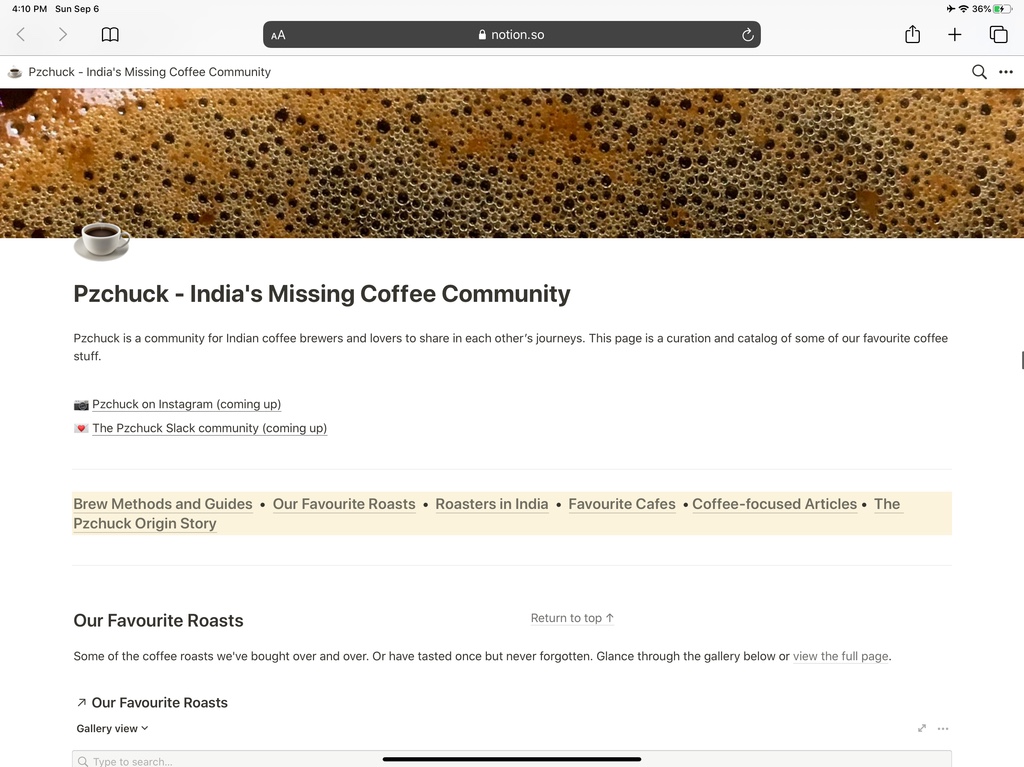
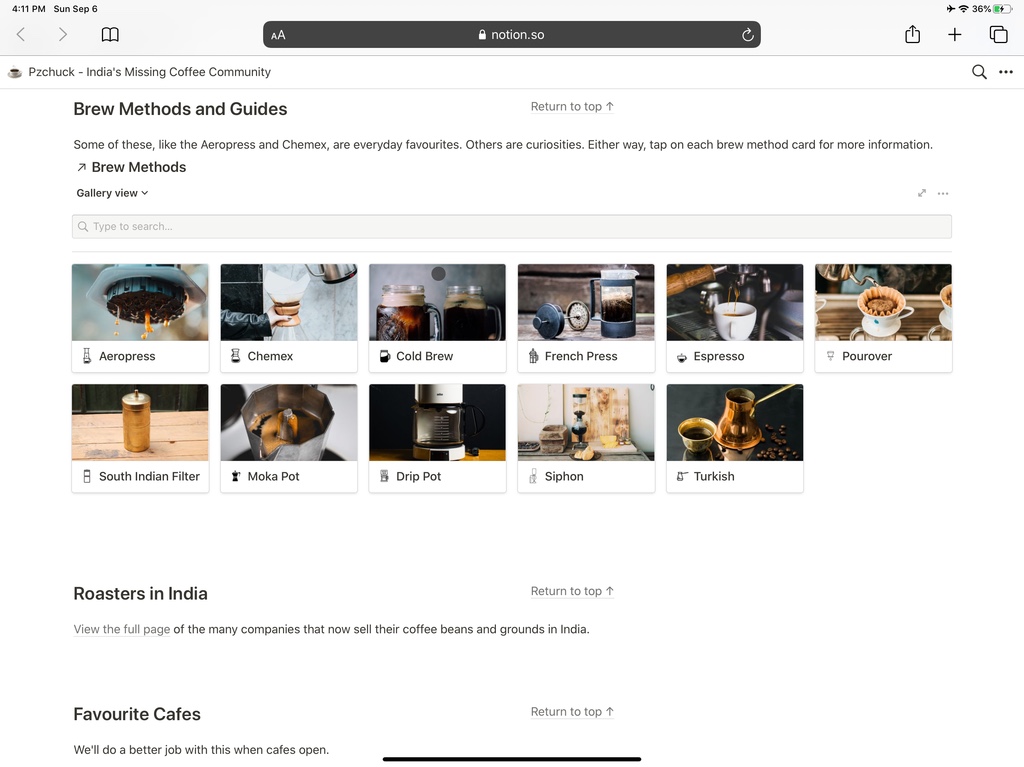
Now I have been working with a friend to create a website and a community around coffee – specifically, people in India who brew their own coffee. The hypothesis is that there are hundreds of such people across the country not, but there’s no destination for all of them to share their journeys, experiences, questions. We wanted to start by sharing our own favourite roasts, cafes, brew methods, roasters, articles, and take it from there. Content → Community → Commerce, like we have seen before in our series on Linear Commerce.
I defaulted to WordPress for this project. I already pay for hosting for this site and have WordPress set up. The idea was to turn it into a multi-site installation and have the domain point to the coffee site’s wordpress. This was exactly what I did over oneweekend. We had written content for the site’s About page, so that went up. And stalled. It wasn’t simple to create a gallery of the roasts, roasters and brew methods that I had wanted us to get started with. Even with Elementor and its Gallery widget – it was just too clunky.
That was where I was at when I re-read the Poulin article. It took me a single weekend on Notion and fewer hours than I had spent on WordPress to create exactly what I had wanted. Not just the setup – all the content too.
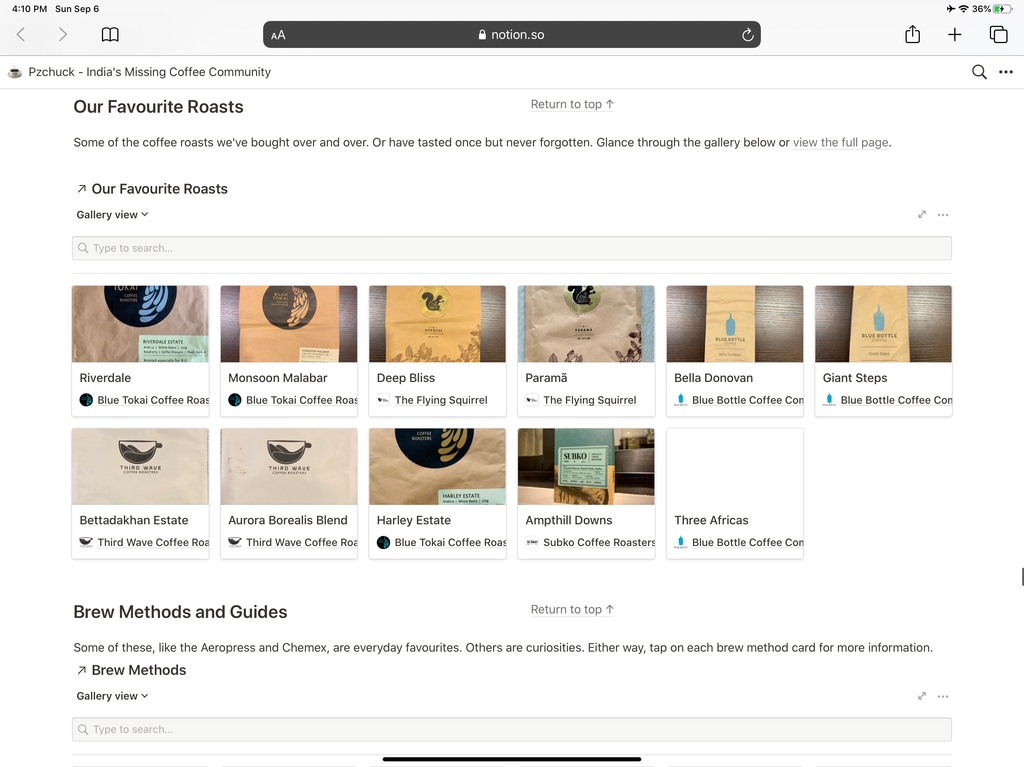
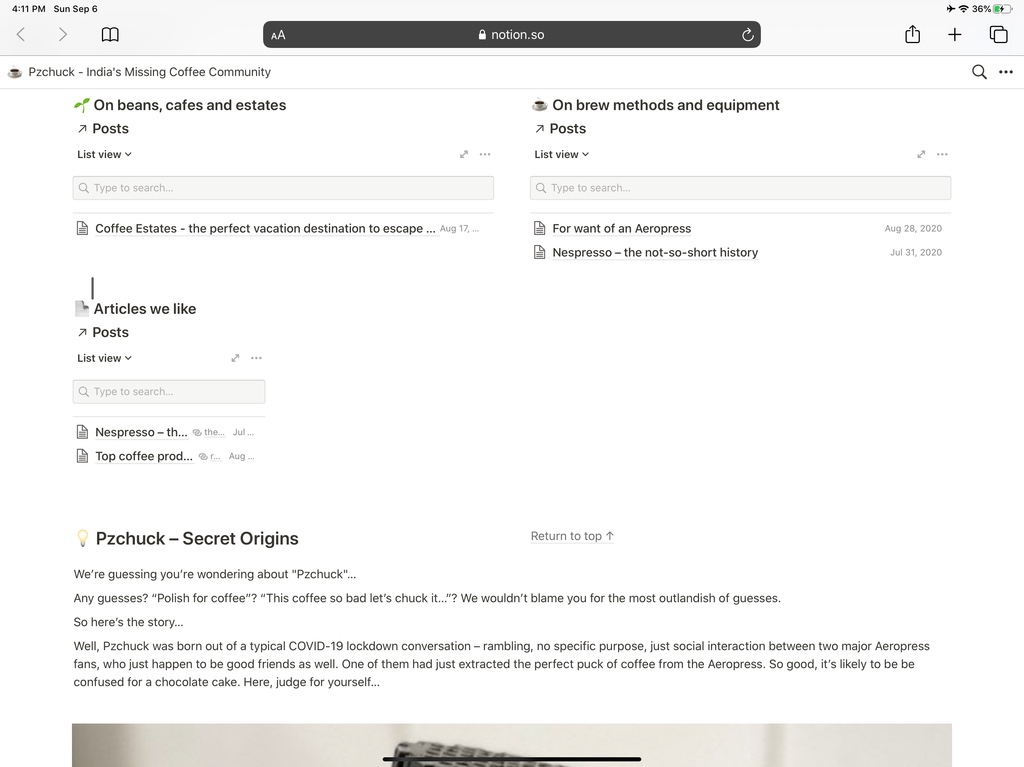
This is the Notion site as it stands today. It’s an early public draft and we work on it nearly every day. Notion makes it simple to add a lot of data easily. Because there’s no edit mode, any changes we make to content or layout are available to the public immediately.
(Part 2 – Repurposing Google Docs and Evernote to publish to the web falls short)
There are two things unique to Notion that have made it so popular for such a wide variety of web-based properties:
One, it’s made page layout very simple. Creating columns is as simple as dragging and dropping one beside another, so you end up treating a Notion (web) page as a grid that you can populate with sections as you like, making creating a page like this trivial.
Two, re-imagining the database. To say Notion embraces structured data is an understatement. Structured data is at its very core – Notion is a database of pages. Pages can themselves contain databases, and so on.
With Notion, you can have a database displayed as a list, a gallery, a calendar, a kanban board, and as a simple table. You have have your viewers switch between these views. And while there are many ways to customise each view, the basic idea is that you can filter which fields in your database are displayed in each view.
What does any of this have to do with the web?
For one, you can create a database if your blog posts. You can now create different List Views of your blog posts, filtered by stag or a combination of tags. You can now have these lists displayed side by side (or any other layout) on the same page.
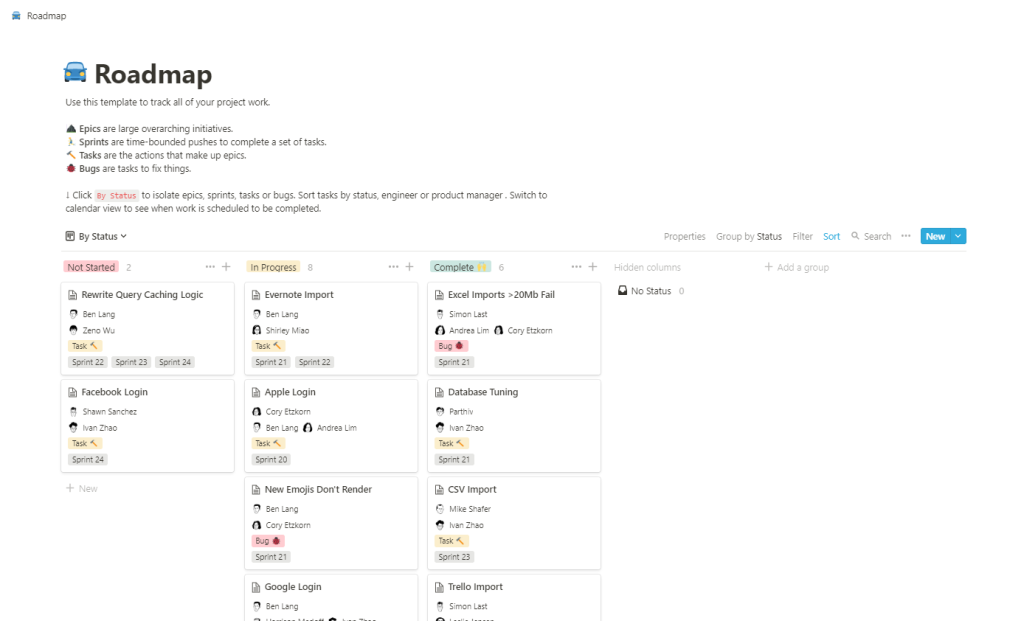
You can create a personal or product roadmap as a database, with each feature or fix marked with a date or a month. You can now display these on your home page in Calendar View, giving your customers or prospects a view of what’s to come. You can offer different calendar views filtered by (product) tags, so if you’re running a specialised mobile camera app, you can have one calendar view of just upcoming new camera capabilities, another of just new photo management and editing features, another for sharing features, and so on. If you tag these features by status – whether they’ve been proposed, planned, scheduled, are being worked on, or have been released – you can have them listed as a Kanban Board View, a pipeline view of your product’s future evolution. As your team knocks these features off and takes up new ones, you update your database internally, and your public board changes automatically. There is no edit – preview- publish loop anymore.
You can create a database of your customer testimonials and have them displayed as a Gallery View. If you have photos of your customers, you can choose to have them displayed as the preview image in each gallery card. You can display the whole testimonial in the gallery card, or have the gallery card clickable to view the whole customer testimonial page. The page itself is like any other web page – you can leave it empty other than the testimonial text, or include other information, including text (a customer profile?) or even more structured data (how long the person’s been a customer), more tags (what features the person most likes in your product), and so on.
And you can combine some or all of these elements on the same web page, link to other web pages, add text, links, tables, pictures, embedded files – anything you like. You can even embed other HTML in it, so if you want to capture customer interest, you can embed a Google Form. [1]
Notion makes it possible like never before for data, HTML, text and multimedia to co-exist. Equally importantly, it brings down the friction of creating these seemingly complicated pages to nearly zero. Like Steve Jobs said of computers being bicycles for your mind, Notion is a bicycle for data.
(Part 4 – My own Notion website)
[1] And, using something like Zapier and Notion’s for-now unofficial API, auto-populate a private Notion database of leads.
(Part 1 – People are using Notion for all sorts of stuff)
Now Google Docs has long had the ability to publish a document to the web. Over five yers ago when I ran the consumer banking business at the payments company Citrus Pay, I published job descriptions as public Google Docs documents. The URL didn’t matter because they were going to be linked to from job boards and WhatsApp groups, and I wrapped them in a URL shortener in any case.
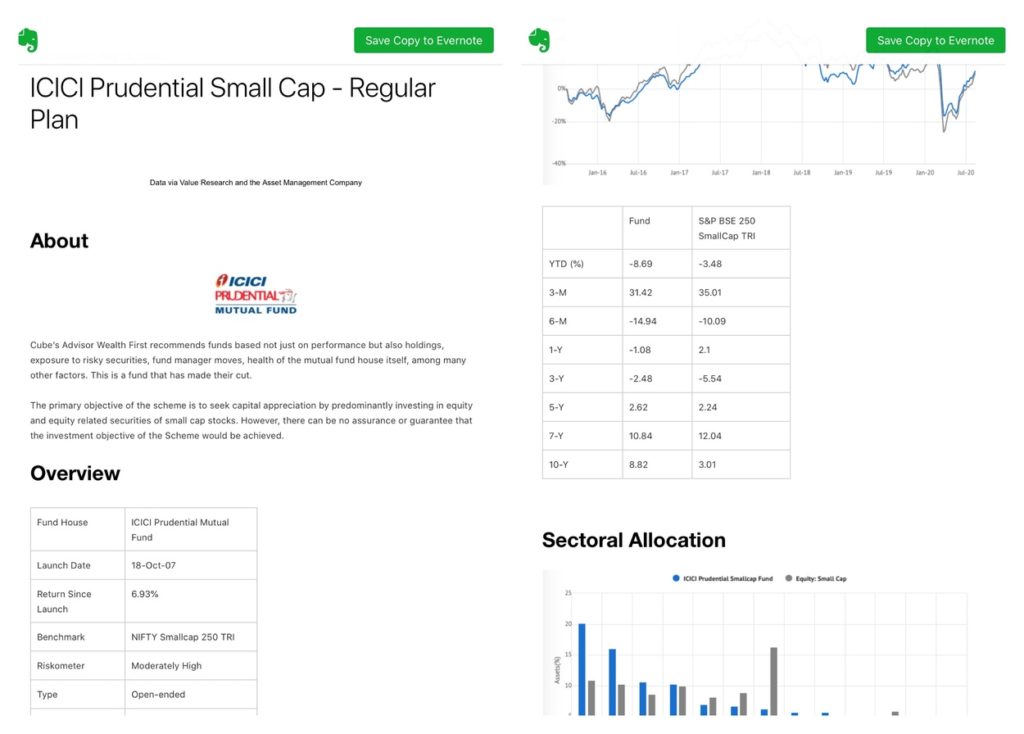
More recently I used a set of public Evernote pages to rapidly prototype some web content that the Cube Wealth app linked to. It took the team minutes to create and publish – web pages would have taken hours.
It’s not fancy, but it did exactly what it was supposed to do – present information about the fund clearly
Both of these examples worked well because the focus was the content, not the appearance. In fact, the simpler the layout of the page, the more effective the page.
But in terms of content, both are both ultimately document-oriented tools. They are built on the printer-era Microsoft Word model – even Evernote. They’re adequate for publishing long-form single-column simply-formatted text, with images and links embedded [1].
Which means they fall short when you want to use them for other, more capable web properties. You need another tool that maintains the tight feedback loop between editing and publishing, but adds flexibility in layout and in displaying other types of content beyond text.
(Part 3 – Notion)
[1] Evernote excels not in its display of output but in the ease of getting information in and making it organisable and searchable.
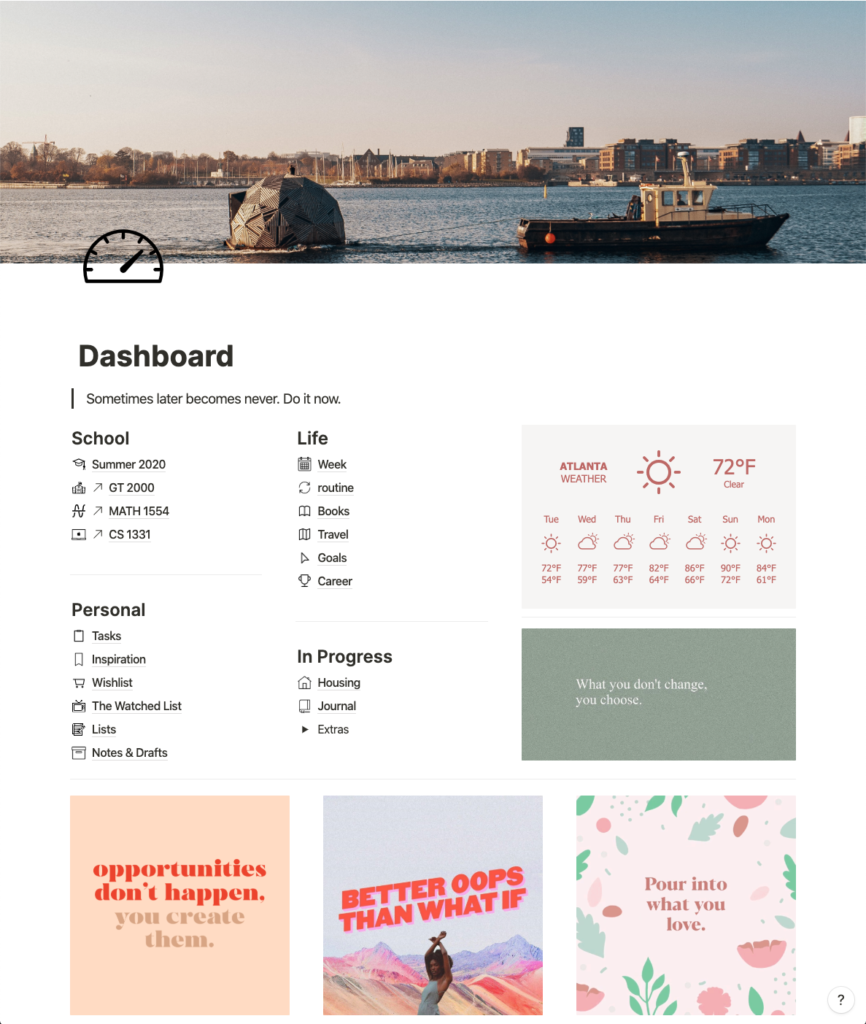
Landing pages, about pages, job descriptions, libraries, portfolios, manuals, roadmaps, dashboards. This tweet thread linked to in the replies has another list of use cases with examples, including the ones above:
Some months ago we wrote about Notion as an example of a general-purpose software that optimised for nothing, and therefore was suboptimised for everything. This technically holds true.
The Notion then is still the Notion of today. But the norm around what constitutes a website has changed.
WordPress page editors like Elementor and Oxygen are fantastic, feature-rich WYSIWIG tools with which you can create highly customised pages on your site. But they are high-input, high-output tools. For sites where content and speed are more important than form, they are overkill. Even a vanilla WordPress.com site with pages may be too much overhead.
Compound and Aave.. protocols allow people to pool their tokens together and loan them out, earning interest. This interest is captured by yet another token that can be traded secondhand (“cTokens” and “aTokens”). In essence, these lending pools are like legacy money markets, except they are distilled into a programmable money lego which can be composed with other DeFi protocols.
Staked has a protocol that dynamically deposits and withdraws tokens into/from lending pools, seeking the highest yield. Called “Robo Advisor for Yield”or RAY, it is a protocol built on top of protocols built on top of programmable money.
Liquidity providers pool two or more tokens together into a smart contract. This smart contract has logic that enables it to trade autonomously with the rest of the market, earning fees for liquidity providers in the process.
One of [a Ghanian mango farmer’s] big pain points is the volatility of mango prices on the global market. In the future, apps that enable hedging mango prices via futures and options will be trivially easy and something that even small businesses can do. This may sound speculative, but we are already heading down this path.
You can even put constraints on wallet balances or money flows. For example a recipient’s balance can’t exceed $2,500, or any payment can only be made up to $50, or any account can only send or receive a total of $1,500 per day, or whatever.
Reducing Dollar Dependence: Because the central bank can now exert control over the mix of assets that make up the Bakong system’s native token – which is currently set to include USD and Riel, but in the future, could include a broader mix of currencies, the NBC can start to actively monitor and manage the impact of monetary policy set by other central banks, most specifically, the US.
Influencing Current Account Balances: NCB will now have a way to manage financial flows into and out of the country and a way to manage the basket of currencies that makes up these payments, presumable working to minimize its economic dependence on dollars and optimize its own currency’s competitiveness.
Economic Data Gathering and Controls: Lastly, its important to note that anyone participating in the Bakong system will be required to attach their digital wallet to the bank account in order to exchange payment tokens for currency, and back.
This gives the central bank a few levers of control including
levying tax on these flows that have historically happened outside the system, limiting daily transactions between wallets, or perhaps even blocking certain individuals from using the digital payment system.
Contrasting the existing system of electronic money with true programmable money
First, this excellent post from Bankless, a newsletter about ‘crypto finance’ makes an important distinction:
digital money is not programmable money. Currently, money exists as an entry in an ad hoc confederation of private ledgers our society refers to as “the banking system”. The banking system is replete with unnecessary redundancy and a commensurate level of inefficiency. Although the legacy system is electronic, it merely digitizes a process that was designed during a time when money was explicitly tied to a physical asset, gold. Banks stored the gold in their vaults and rather than physically settle every transaction with hard currency, they kept track of transactions on their ledgers, netting out inflows and outflows…. It is a miracle that my Visa card issued by a small US bank still works in a place like rural Tajikistan. The success of companies like Visa, Stripe, PayPal etc show just how hard it is to interface with the legacy system. And their healthy profits show how much we are willing to pay for the added convenience.
and, memorably, this
Trying to imagine the future of human commerce at this point is a bit like Renaissance merchants in Florence trying to visualize Standard Oil.
My Citibank-dollars are legally, and practically, a different instrument to your JP Morgan-dollars. My Citibank-dollars are a legal agreement that Citibank owes me dollars; your JP Morgan-dollars are a legal agreement that JP Morgan owes you dollars… The result is that money, controlled by all of these different entities, is all different and behaves in different ways.
Think how hard it is to implement anti-money-laundering rules across the board. Every participant has to attempt to apply the same logic. Every. Single. Participant. No wonder it’s ridiculously expensive, and has many gaps.
What makes money programmable
More by Bits and Blocks:
Now you can create money where the money itself has control logic built into it. This is done at the smart contract level. A smart contract is typically a bunch of code that is run by all participants in a blockchain network. It that defines:
* The characteristics of the money (how many units there are, who initially owns it, etc) * How users can interact with the money (ask for a balance, make a payment, etc). * The constraints are coded into the second part of the smart contract, so that all payment requests are subject to those constraints – no matter who is in control of the money at the time…
[Ethereum is a] universal computer which is accessible from anywhere by anybody, and (critically!) which always gives the same results to everybody. It’s a global resource which stores answers and cannot be subverted, denied or censored.
This, as he says, is a big deal when it comes to money and policies about money and securities. Of course, in the case of the Chinese government’s – or any central bank’s – digital currency, the total ownership of the chain has the opposite results, that unlike cash, digital currency can always be denied or censored.
Currency is typically agnostic of how it is used. It’s a store-of-value and a medium-of-exchange. Banks’ accounting systems built on top determine whether deposits will bear interest, and if so, how much.
Ditto for credit. Each bank and nonbank lender implements its own loan accounting system that’s tied to it. This is why transferring a loan between two lenders, or between two borrowers is cumbersome. With programmable money, either a lender or a third-party could create credit tokens that represent aspects of a loan: interest rate, lock-in, transferability, a claim on other (similarly digitised and programmable) securities, and so on. Buying and selling loans, combining them, trading them could become a lot simpler.
With programmable money, ideas that today seem outlandish could become much more commonplace in the future. Sticking with credit, you could borrow money from another person, like today’s P2P lending, with your repayments sent directly to the lending person’s account as Didi ride credits, because that’s what the lender chose to be paid in – they take a lot of rides and this is a nice way to have their Didi wallet topped up with a known amount every month.
Take this further. The friend could ask to be paid in a mix of Didi credits, Starbucks credits, and a mutual fund investment, because all have been securitised via the central bank digital currency contract standard.
As for the P2P marketplace where this loan originated, this illustration bypasses the marketplaces’ role as both the matchmaker and the facilitator of the loans – in this new world, they focus solely on matchmaking innovation. Their fee, which would typically be a % of the final loan amount, would be paid out in interest-bearing tokens as well.