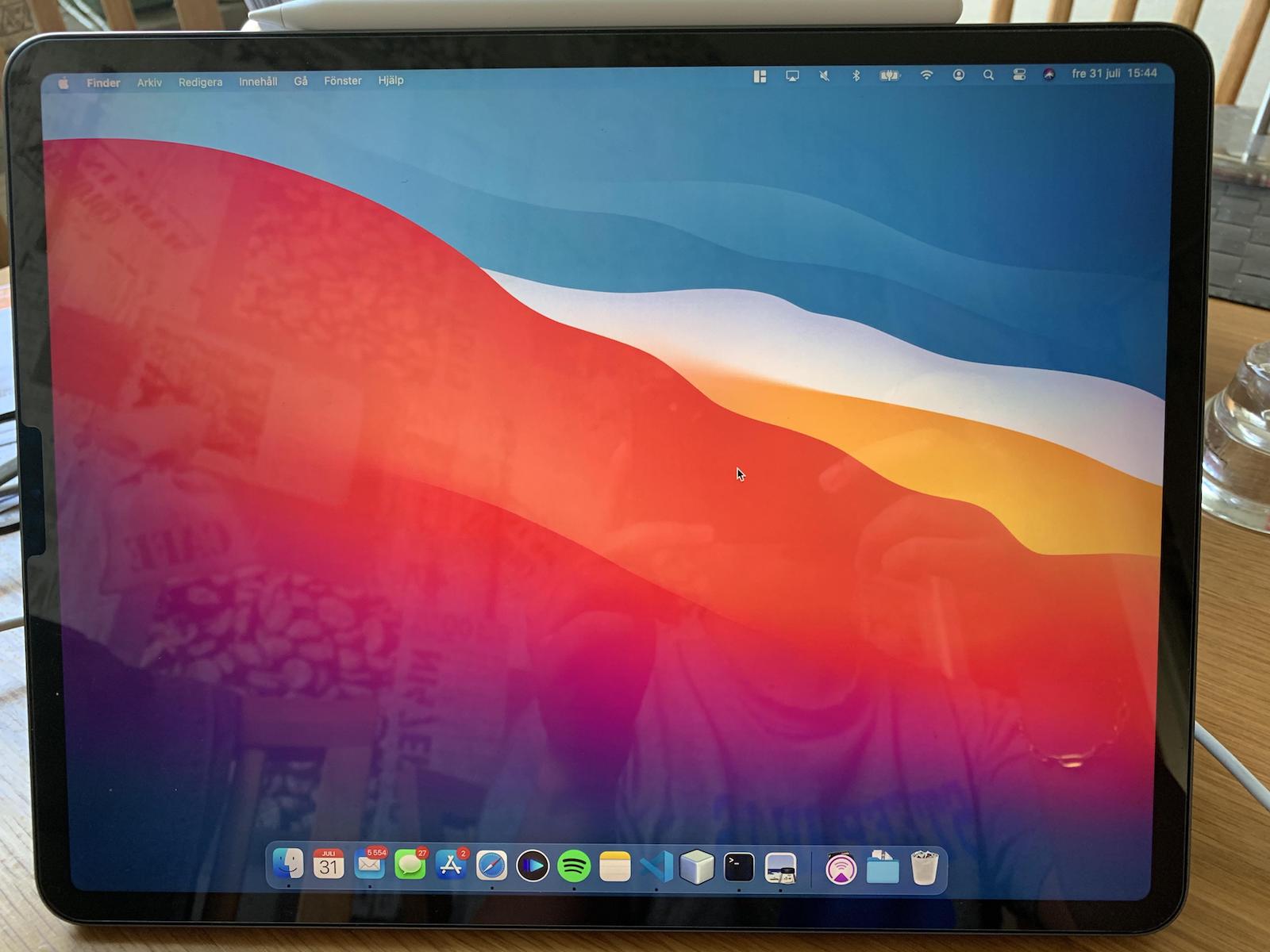
Before you send a shitty email to someone. Pause for a moment & consider what they may be going through.
— Adam B. Hill, M.D. (@Adamhill1212) December 3, 2020
That’s the whole tweet.
Categories
 Rahul Gaitonde
Before you send a shitty email to someone. Pause for a moment & consider what they may be going through.
— Adam B. Hill, M.D. (@Adamhill1212) December 3, 2020
That’s the whole tweet.

Losing an hour down a Wikipedia rabbit-hole is very different from scrolling through Reddit or Twitter the same amount of time. No matter how frivolous the topics on Wikipedia, I’m learning something new – even if I’ll forget most of it later the same day. With social networks the joy diminishes rather quickly, but I’m kept scrolling by some inexorable pull.
Both leave me surprised at where time’s disappeared, but one leaves me energised, the other with brain fog. The answer probably lies in that I float – flit? – through Wikipedia out of a sense of wonderment, and I scroll though social feeds out of a sense of compulsion. There seems to be more free will in one than another.
(Previously:August, September, October, November home screens)
A couple of weeks ago, I hid all home screens on my iPhone. This is a feature new to iOS 14. It requires at least one home screen to be visible, so one remains.
Why’d I do this? Because there are now multiple ways to launch the apps I want, quickly.
The biggest among them is App Library, an index of every app on your iPhone – also new to iOS 14. Then there are Siri suggestions, long available as a quick down-swipe on the home screen. And there’s Back Tap – tapping the back of my iPhone twice or thrice launches different Shortcuts.
Between these I can get to any app I want. And so I’ve filled up the lone home screen with a few widgets.
I’m in the post-home-screen world:
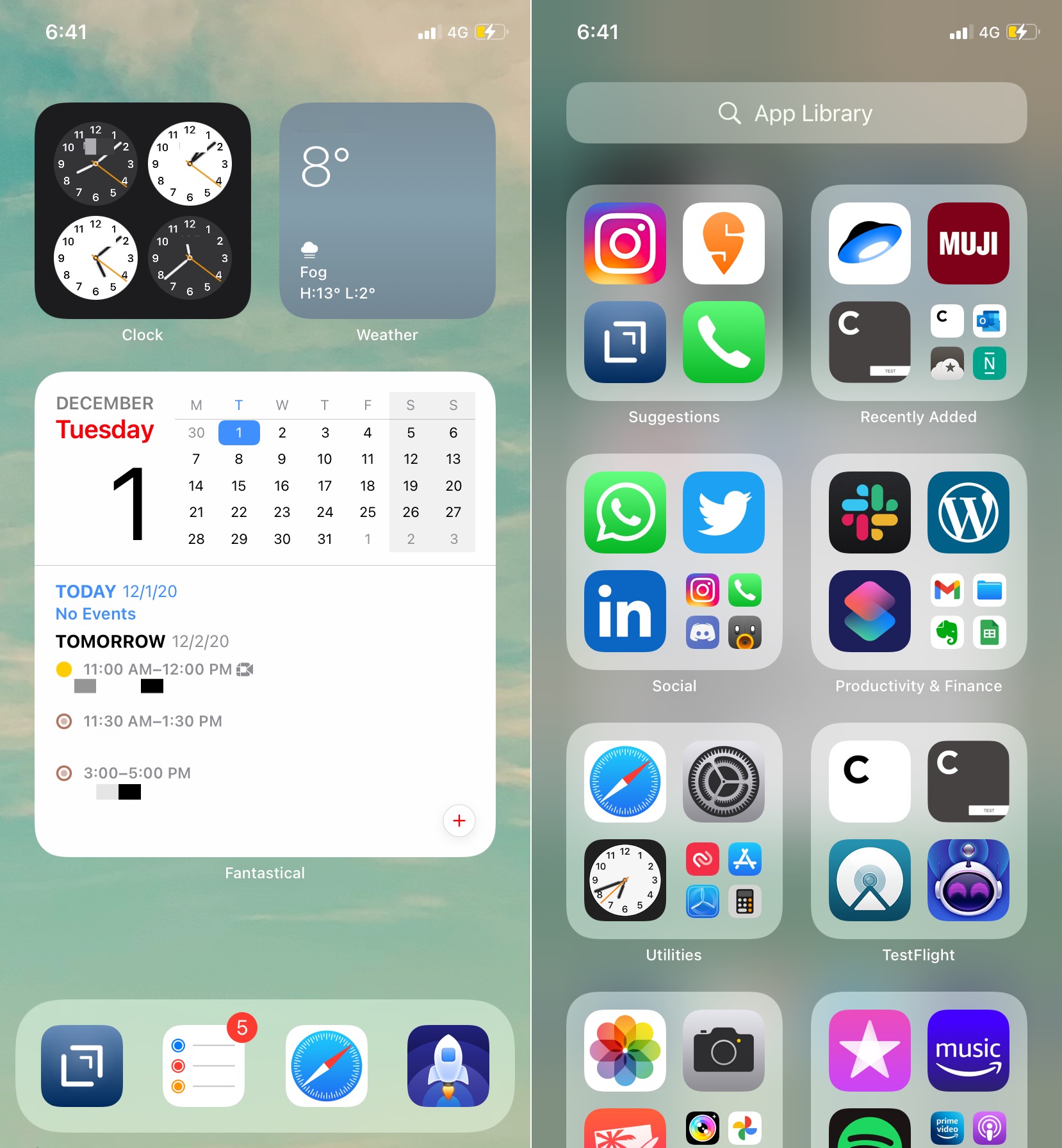
The widgets haven’t changed much: local times at a few places around the world, weather for one of them, and my calendar and meetings.
You can see the App Library on the right. Tapping on the large icons launches the app. Tapping on the small ones opens the folder. A short swipe shows an alphabetical listing:
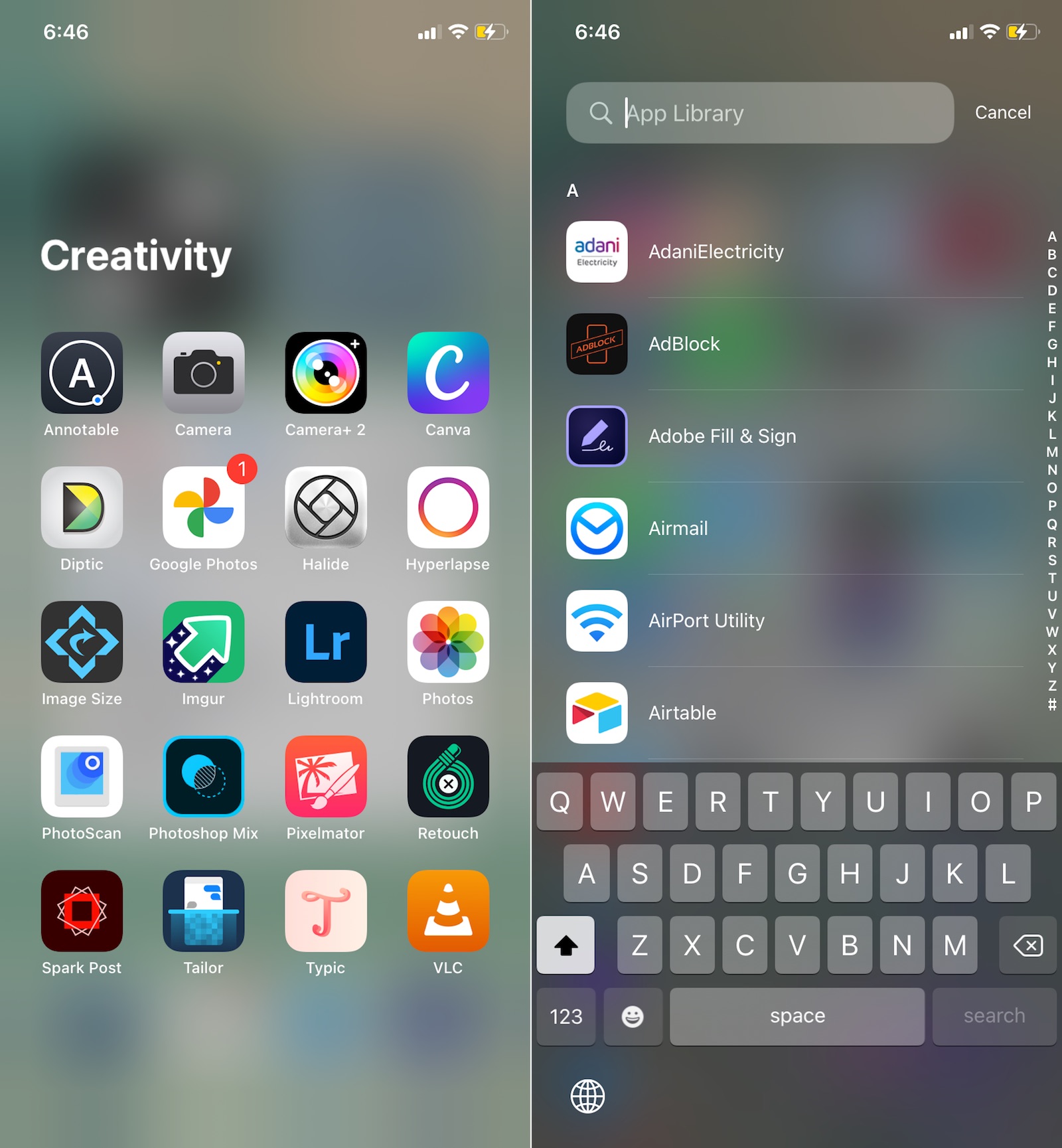
My app usage hasn’t changed. I still use Drafts for text. Safari for browsing. A bunch of chat apps. The stock Apple Mail app. Music. Photos. Camera. A range of photo editing apps including Pixelmator. Slack for the day job. And of course Twitter and Reddit apps.
Last month, I also began using my phone – and iPad – less: I had my mid 2012 15″ Retina Macbook Pro repaired and despite its size and weight it’s become my go-to portable machine at home.
It’s a fantastic machine: the design, the keyboard, the display, the oodles of real estate. Here’s the developer Marco Arment:
Apple has made many great laptops, but the 15-inch Retina MacBook Pro (2012–2015) is the epitome of usefulness, elegance, practicality, and power for an overall package that still hasn’t been (and may never be) surpassed. Introduced in 2012, less than a year after Steve Jobs died, I see it as the peak of Jobs’ vision for the Mac.
– The best laptop ever made
The iPad has some clear use cases: it’s where I read my books. Watch TV. Sketch. Edit photos. I’m probably not going to attempt to use the iPad as my full time machine soon, but it’s always going to get a good few hours of use every day. But the iPhone? Well December is going to be an interesting month.
This one resonated today.
— Gina Gotthilf (@ginag) November 9, 2020
"A lot of problems happen because of your internal state.
When you’re calm, happy, and fulfilled you don’t pick fights, create drama, or keep score."
— @ShaneAParrish
But it’s hard to be calm when we’re in a state of mindless scrolling or when we’re interrupted by notifications. Especially news and social notifications.
If you can watch yourself as you interact with your phone, iPad, TV – watch even for a few seconds – you’ll very likely find yourself physically tense and mentally anxious.
And you’ll see how far from calm we are most of our day.
How much of the unhelpful behaviours that the tweet mentions – casual combativeness, compulsive competitiveness – are simply because we can’t help ourselves use our phones?
It sounds crazy. And it is.
A follow up to the two-part series on imagining Mac OS big Sur running on the iPad Pro. I came across this blog post that described what it would take to free the iPad itself from the current constraints of iPad OS without running Mac OS on it. Some of the writer’s recommendations:
Introduce Gatekeeper and app notarization for iOS. The process of side-loading apps should not be as simple as downloading them from the App Store. Bury it in Settings, make it slightly convoluted, whatever: just have an officially-sanctioned way of doing it.
Ruthlessly purge the App Store Guidelines of anything that prevents the iPad from serving as a development machine. Every kind of development from web to games should be possible on an iPad. And speaking of games—emulators should be allowed, too.
Introduce Time Machine backups for iPadOS.
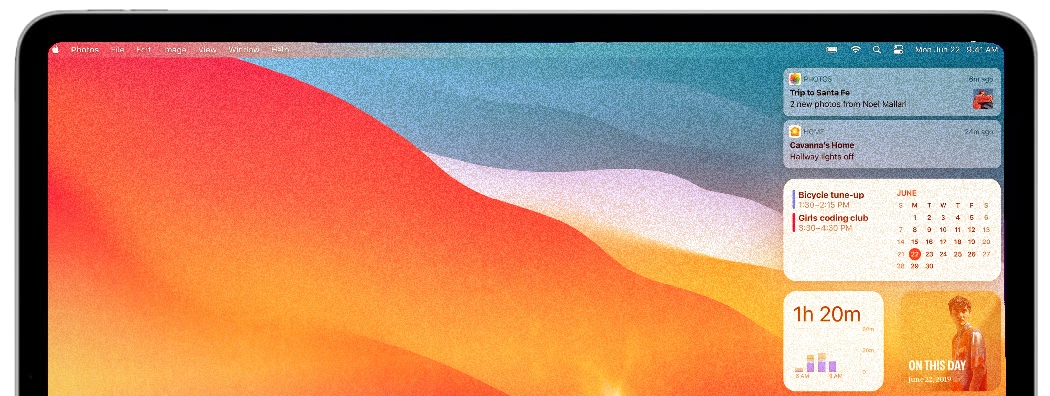
I don’t disagree with her. But I wonder if it’s simply better to optimize the two operating systems – iPadOS and Mac OS – for different types of users, and let them choose what they want to run on their Apple hardware. The iPad app ecosystem is already open on the Mac. The logical next step is to make Mac OS available on the iPad
(Part 1 – the iPad is a fantastic device let down by iPad OS)
Which brings me back to the M1, which is the same machine architecture, ARM64, as the A series of chips that power the iPad and iPhone.
If Big Sur can run on the M1, can it run on the A14 “Bionic” chip?
In other words, could it be possible have the iPad run Mac OS Big Sur?
Architecturally, it should be possible. Practically? Maybe. While I’m not a computer architecture professional, the A14 Bionic compares quite well with the M1.
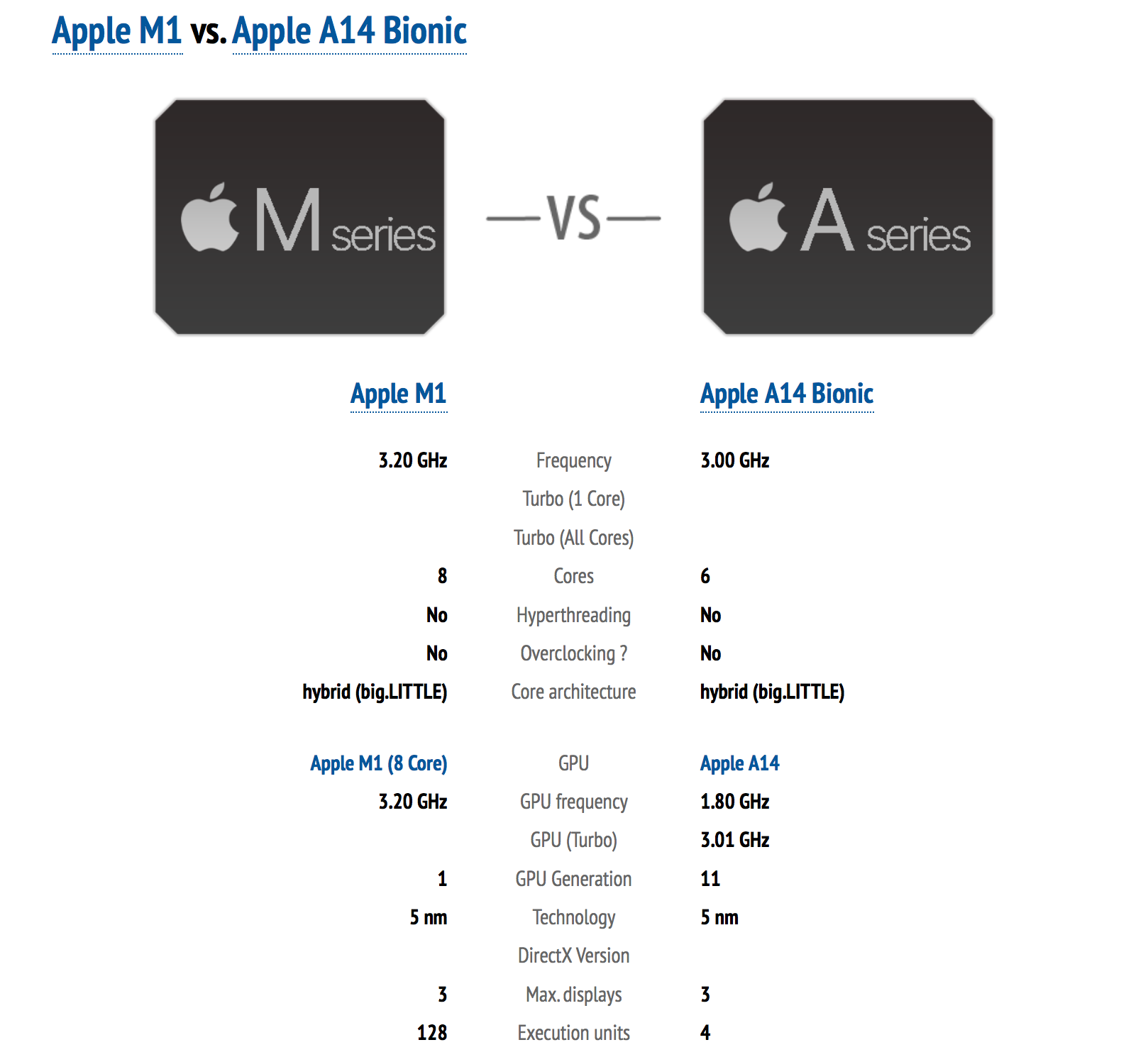
There are some big differences, such as the L2 cache and the GPU “execution cores”. Also, the A14 was designed for iOS, which is a lot more restrictive with resource management than Mac OS, a desktop OS where user applications can run indefinitely in the background. Could the A14 support this more freewheeling approach to process execution without killing battery life? Or will Apple need Mac OS’ resource management algorithm to adapt depending on whether it runs on an A-series or M-series chip?
On the other hand, there are similarities beyond just both being ARM64 machines. Big Sur expects certain security capabilities of the M1 chip: “… the latest generation Secure Enclave, a high-performance storage controller with AES encryption hardware, and hardware‑verified secure boot.” These capabilities used to be provided by the T2 chip, which was present on most (all?) Macs from 2018 onwards, has now been moved into M1. But the iPad Pro 2020 has this T2 chip, which Apple says is used for “hardware microphone disconnect“, but potentially has the same capabilities as one in a Mac.
If you think of the iPad Pro as a Mac optimised for even greater portability than the MacBook Air, sacrificing some of the supposedly unbelievable performance for flexibility, it begins to make more sense. It could be the Macbook with 4G that people have wanted for years.
The iPad hardware ecosystem, even Apple’s own product,s already has a wide range of pointer and keyboard accessories. Apple’s Magic Keyboard for the iPad has multitouch support. One could interact with Mac OS using iPad accessories quite easily.
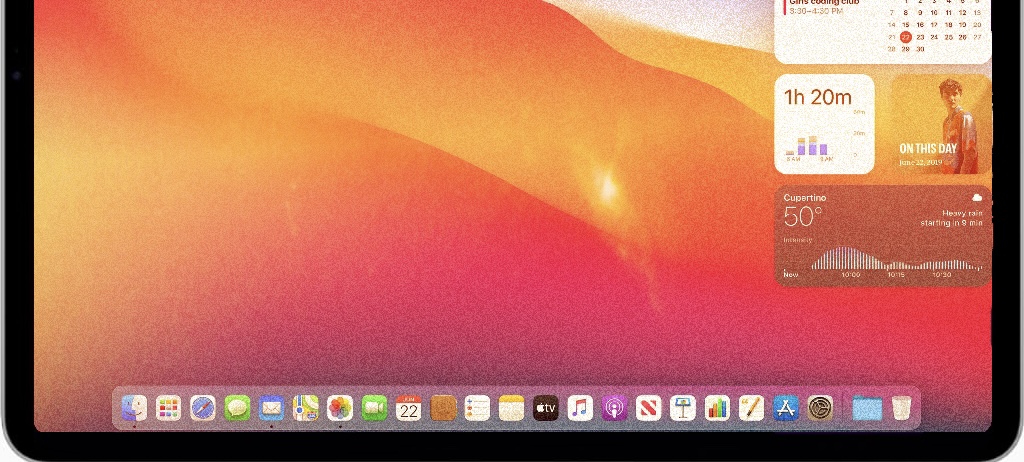
Then there’s touch. Mac OS Big Sur is a lot more touch-friendly than previous versions – some changes like the new Control Centre seem more from the touch-first world than a trackpad-first one. The Apple senior VP Craig Federighi recently denied designing Mac OS for touch, and that might well be true – it’s just elementary interactions with the OS like changing settings and dragging windows – may work well with touch.
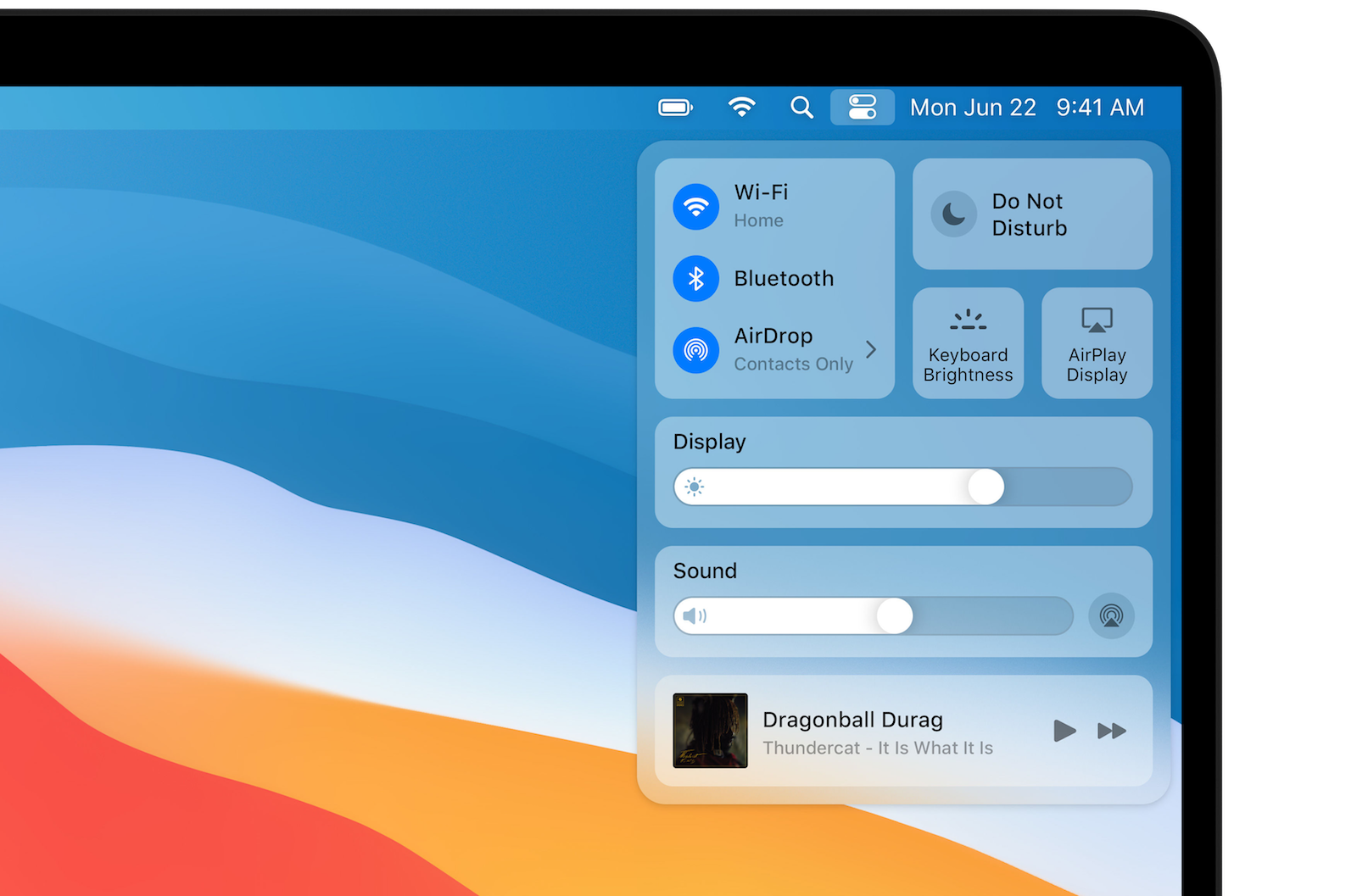
And finally, Mac OS Big Sur can run iOS/iPadOS applications without them needing to be modified, since they’re built for the same machine architecture. So Mac OS could still run Netflix, Amazon Video, Hulu and other iPad-optimised entertainment iOS apps without issue, instead of running them in the browser as today. Those apps were built for touch, and will respond to touch just as well as if they ran on iPadOS.
So there you have it. The iPad Pros are gorgeous, powerful machines. And have been for a while. But iPadOS is still quite limiting for a variety of work, despite a ton of progress in the last three years.
If Macs and iPads now run on chips of the same system architecture, that opens the possibility of the iPad being able to take advantage of Mac OS’ capabilities. Mac OS Big Sur can run iPad apps natively. That makes it technically possible – though not straightforward – for Apple to make Mac OS itself run on the iPad, truly creating an entirely new type of portable, flexible, capable computer.
(ends)
Apple’s always marketed the fact that buyers of its devices benefit from having hardware and software designed in conduction with each other. Well, now it’s been taken all the way down the chip level, resulting in what seems to be an exceptional step-function leap in performance.
The reviews I’ve read about Apple’s M1 laptops have been beyond effusive in their praise of its power, speed and battery life.
The M1 MacBook Air (and M1 MacBook Pro) are now the best laptops regardless of operating system. They’re the new gold standard by which all laptops will be judged, and this is just the start. In a few years, we’ll look back and wonder how we ever tolerated laptops with anything less than this kind of performance.
– “MacBook Air M1 review: Windows laptops are so screwed“
Other reviews have described how its great to have their laptop get the same sort of performance has high end laptop with the power consumption of their iPhone and iPad.
Then I read this set of tweets:
A sad but inescapable conclusion from the impressive launch of the M1 is just how much Apple squandered the potential of the iPad. The iPad has had amazing performance for a while, so why is the M1 a game changer? Because it’s finally in a machine we can actually do things on.
It’s been an open secret for a while that the iPad could embarrass MacBooks in more and more benchmarks. If the iPad had meaningfully advanced in any sort of product vision, this would be the iPad’s time to shine, not the time to shove an iPad’s guts into an old MacBook case.
11 years after the launch of the iPad, we settled for the Intel transition when we could have had an iPhone-style revolution. The great triumph is “wow, emulation is really fast!” instead of “remember when we used to use clunky laptops”. Meanwhile the iPad… got trackpad support
I understand this. I used a 12.9″ iPad Pro as my main computer for most of 2020. It was great in many ways. The portability is unbeatable. The flexibility of being able to ditch the Smart Folio and turn it into a gorgeous magazine is unlike any laptop. The power is several times what I need from even my work machine. The Apple Pencil just works, turning it into a sketchpad in a trice. The battery lasts all day, even with work breaks to watch TV shows.
However, it’s limiting. And the problem is iPadOS. Not the iPad hardware.
For instance, the iPad has supported multiple windows for a long time, but manipulating them is still far harder than it should be. Revealing, dragging, dropping, resizing, sliding is constant. I have to keep thinking about it. On Mac OS, I can launch and move between windows without a thought. I can drag them around – including using three-finger drag. Why, I can drag them between different virtual desktops. I can see all open windows with Expose with a single button or gesture. I can also use third-party tools like Shift It to snap, move and resize windows. And I can do all of this through muscle memory, leaving me to focus on my work.
This isn’t because I’m just used to Mac OS. I’ve used Mac OS – then OS X – from 2010. I bought my first iPad in 2012 and immediately began using it as a part-time work machine. I bought a Bluetooth keyboard-with-stand for it that works just fine. And in recent years I’ve used iPadOS a lot more than Mac OS.
But the OS continues to bother me in many other ways.
The Files app isn’t nearly as capable as Finder, and I deal with files a lot.
Throughout the OS, unless I use the Magic Keyboard with the Trackpad, which I don’t, I have to tap and hold to reveal action menus, which are an instant right-click or Ctrl-click on MacOS.
I can drag and drop music files, podcasts, audiobooks into my iTunes library. Add lyrics. My own album artwork. None of this is possible on the iOS/iPadOS Music app.
Then there’s constantly having to specify that I’d like something opened in a browser window, not in an app. Or vice versa. It’s exhausting.
iPadOS supports a wide variety of hardware accessories, but you still can’t connect an external webcam to an iPad – the OS just doesn’t recognise it.
Finally, the iPad should have more than enough power to drive an external display – and it does – but iPadOS only supports a single aspect ratio, so the display on widescreen monitors is letterboxed.
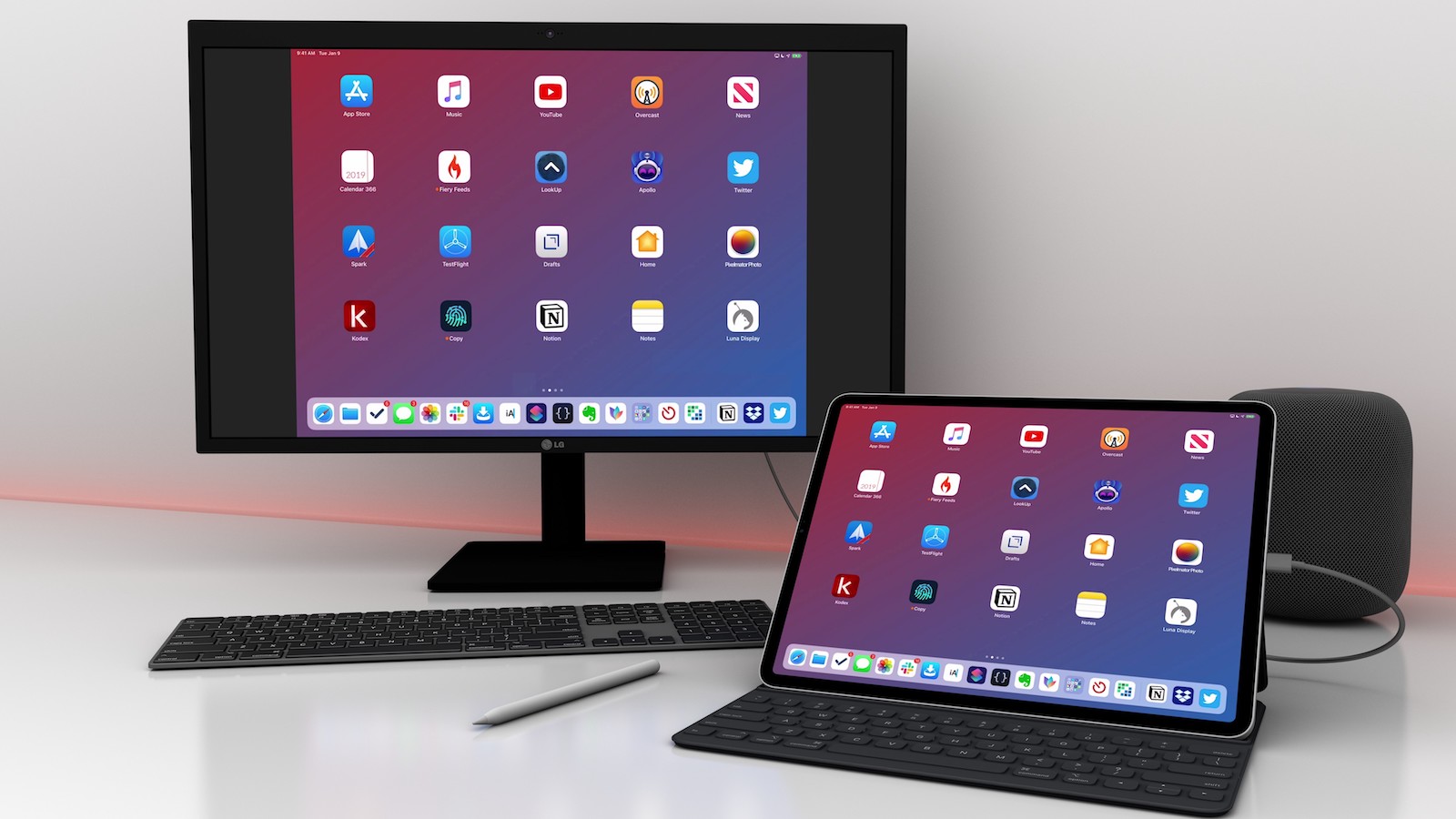
You can do (almost) everything on the iPad today that you can on the Mac. It just takes a lot more mental energy to accomplish.
A problem with Amazon Web Services caused several appliances to go offline. Some of them, like the Roomba vacuum, have physical buttons and could still be used without the app-based remote. Others, like Amazon’s own Ring ‘smart doorbells’, stopped working altogether.
Our previous coverage on smart devices rendered dumber than dumb by outages or outright corporate policy changes:

A few times a year I think about this post that’s now over ten years old:
Under [a 40 hour work week] people have to build a life in the evenings and on weekends. This arrangement makes us naturally more inclined to spend heavily on entertainment and conveniences because our free time is so scarce.
I’ve only been back at work for a few days, but already I’m noticing that the more wholesome activities are quickly dropping out of my life: walking, exercising, reading, meditating, and extra writing.
The one conspicuous similarity between these activities is that they cost little or no money, but they take time.
We’ve been led into a culture that has been engineered to leave us tired, hungry for indulgence, willing to pay a lot for convenience and entertainment, and most importantly, vaguely dissatisfied with our lives so that we continue wanting things we don’t have. We buy so much because it always seems like something is still missing.
– Your Lifestyle Has Already Been Designed, Raptitude
This is not a post that rails against capitalism, or suggests that employment is a corporate conspiracy – a few quick Google searches throw up much in that area for entertainment.
I share this simply so that we’re aware of the bargain we make – money for time. Especially since time is your only finite resource.
We’ve discussed the finiteness of time before in the context of attention being a scarce resource, but there’s an opportunity cost of time for everything in your life. Since you can’t do anything but spend your time, do so wisely.
The move to working from home is a plus for many of us because of the inherent flexibility. Depending on the amount of agency you have at your job, you can take a mid day drive or a nap. Do the crossword. Fix yourself a quick lunch. Take your calls from a park, and continue on a quiet walk once you hang up the phone.
But perhaps most importantly, you can indulge (some) of your interests during a workday that otherwise would have to wait until the evening or the weekend.
By asserting more control over your time, there’ll be less pressure on your to make up for it by spending money. Spending time on something you love is also more rewarding than spending money on it.

I’ve optimised my life for optionality. I do this by being judicious about what obligations to take on and which not. This means I miss out on a lot, but allows me to give the few things that I do take on the degree of attention I’d like to give them. Recently I came across this post:
Be very deliberate about taking on obligations. The obvious example is debt, which I talk about all the time. Most people make debt decisions based on their current situation, and not an evaluation of all reasonable outcomes over the term of the loan. Rather than worrying about the debt before they assume it, they are forced to worry about it over the term of the loan… Obligations extend beyond finances, though. Everything you purchase, especially large purchases, comes with some obligation.
– How to be carefree, Tynan.com
This was another, new way of looking at my principles. Consciously minimising obligations not only means I can focus on things that matter to me but also that I remain mostly carefree. Of course the things that I decide to involve myself with will have their worries, but I know they’re part of the journey.
End note: I’m still not sure why optionality is valuable to me. I’ve been told that it’s a fear of commitment, that I shirk responsibility. As I’ve cultivated a better relationship with myself, I’ve begun to realise that I have always been a curious person – more than average, and about a wide range of things. Because it’s difficult to indulge one’s curiosity without flexibility, it’s natural I’d want my life to have optionality so I could explore or experience things I was interested in at any given time.